Calendar sessions
A Calendar session is a specific event that already exists on your calendar, made bookable. Instead of generating slots from rules, you place an event in your own calendar and Pay2Book offers it exactly as you set it.
This is ideal when every session is something you arrange deliberately - a particular class, a one-off workshop, or a repeating slot you have already put in your diary.
Turning calendar events into bookable sessions
Section titled “Turning calendar events into bookable sessions”In a service’s Set availability screen, each connected calendar has a Free events are bookable checkbox. Tick it, and any free event on that calendar becomes a bookable Calendar session.
The event must be set to “Free”, not “Busy”. This is the most important thing to get right. In your calendar, set the event’s availability to Free - only then does it become bookable. A Busy event does the opposite: it blocks that time so nobody can book it.
The rest:
- The session is offered exactly as the event is placed: its day, time, and length.
- A repeating event becomes a repeating session, so you can set up a weekly class once.
What the booker sees
Section titled “What the booker sees”A Calendar session appears on your booking page as its own named block, using the event’s title, rather than as a plain time slot. Availability slots and Calendar sessions can sit on the same page together.
On your own calendar
Section titled “On your own calendar”When a Calendar session is booked, Pay2Book updates the underlying event on your calendar - for example, tracking how many seats are taken in the title.
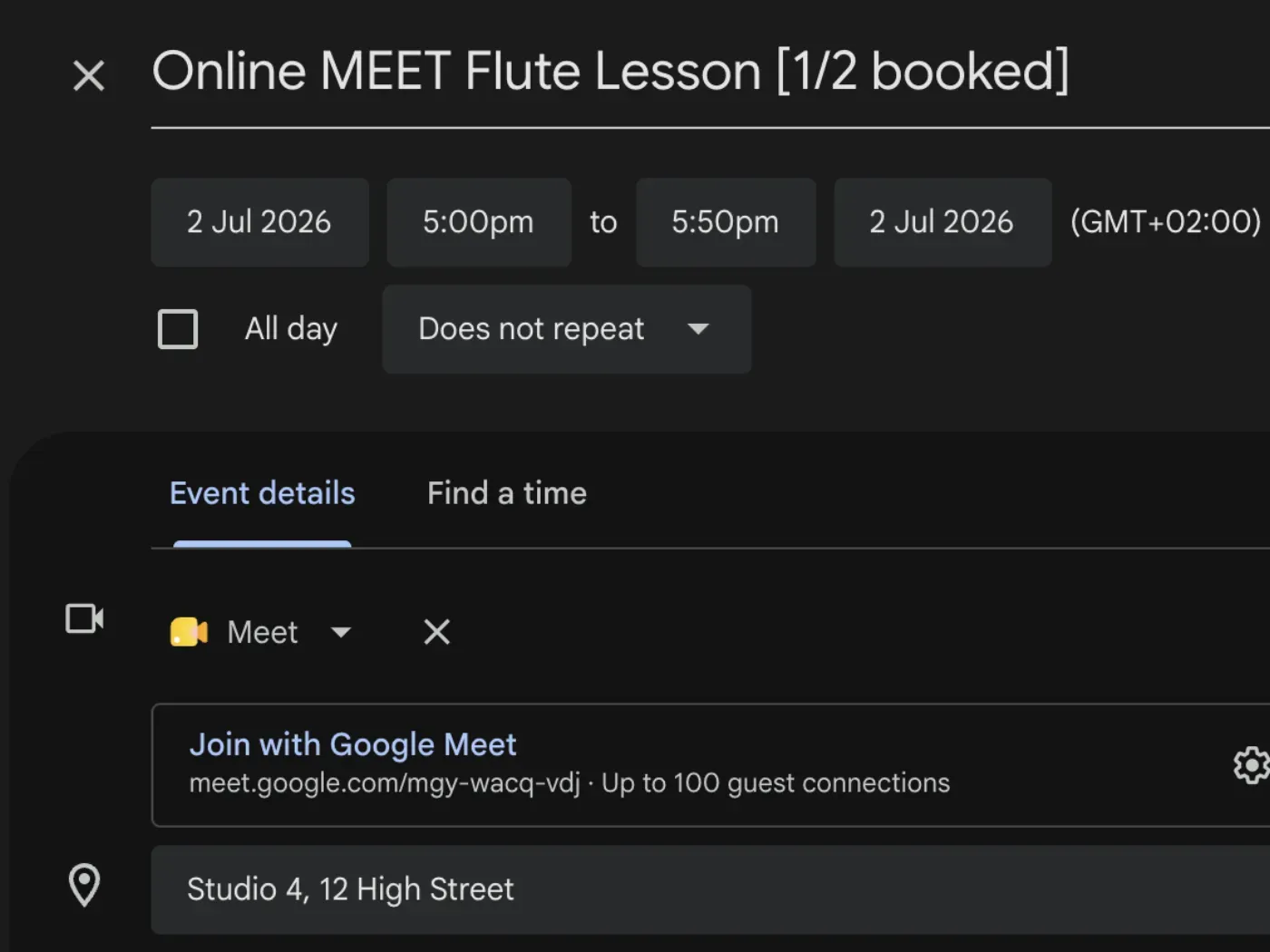
The event stays yours; Pay2Book reads it for availability and annotates it as bookings come in. Any meeting link or location on the event is used for the session too.
Using Calendar sessions on their own
Section titled “Using Calendar sessions on their own”You do not have to set weekly hours to use Calendar sessions. If every session you offer is a specific calendar event, you can leave your availability rules empty and rely only on Free events are bookable. Or combine the two - see how availability works.