Health
The Health page is where you confirm everything is working and find out about any problems on your account.
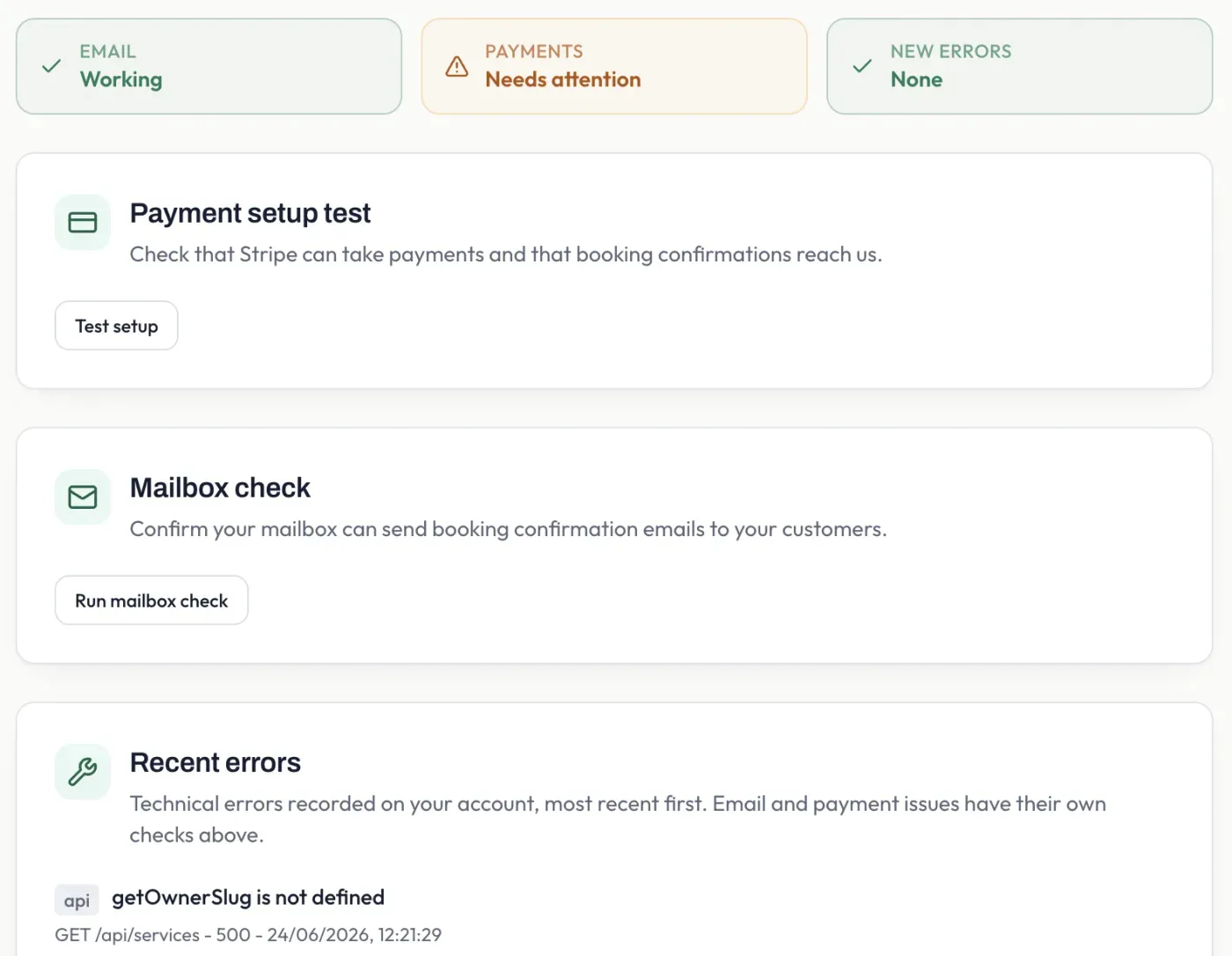
At the top, three status cards tell you at a glance whether your email, payments, and recent errors are working correctly. Below them are checks you can run yourself to help you fix problems.
Stripe setup test
Section titled “Stripe setup test”Select Test setup to check your payment connection end to end - that Stripe can take payments and that booking confirmations reach Pay2Book. This is the quickest way to confirm your Stripe setup is complete.
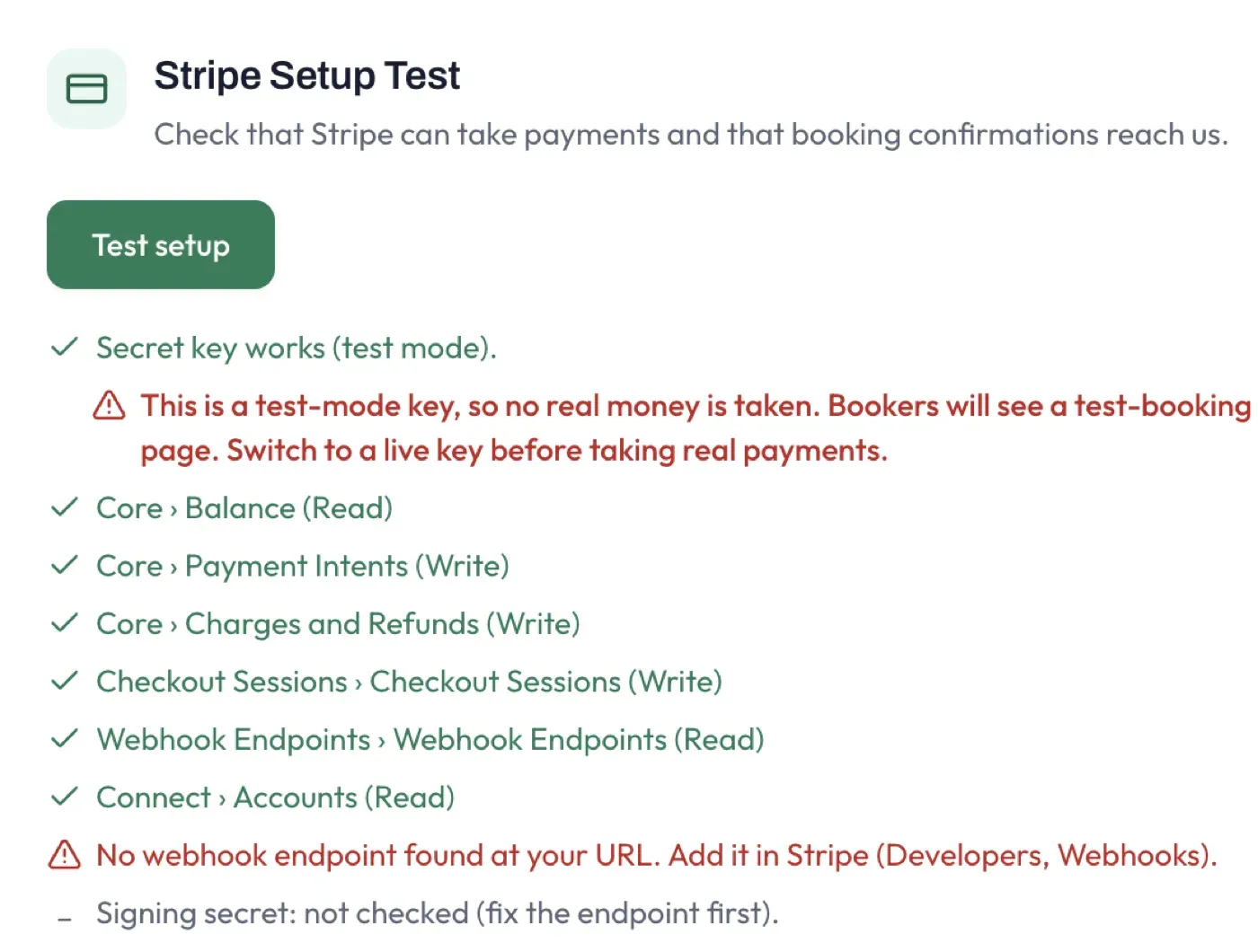
The results tell you exactly what is and is not working, with one line per key permission. In the example above, the key and all its permissions are fine but no webhook is registered yet - so booking confirmations would not arrive. Follow the guidance shown to fix each item. The most common cause is a missing or mis-configured webhook; see Stripe Manual for how to add one. A test-mode key is flagged in red: it takes no real money and your booking page shows a test notice, so switch to a live key before you go live.
Mailbox check
Section titled “Mailbox check”Select Run mailbox check to confirm your account can send booking confirmation emails to your customers. If it reports a problem, it usually means you need to sign out and back in to re-grant the Mail Send permission, or your email provider needs you to verify your account.
Recent errors
Section titled “Recent errors”Any technical errors recorded on your account are listed here, most recent first, so you can see if something has gone wrong. Email and payment issues have their own checks above.