Event sessions
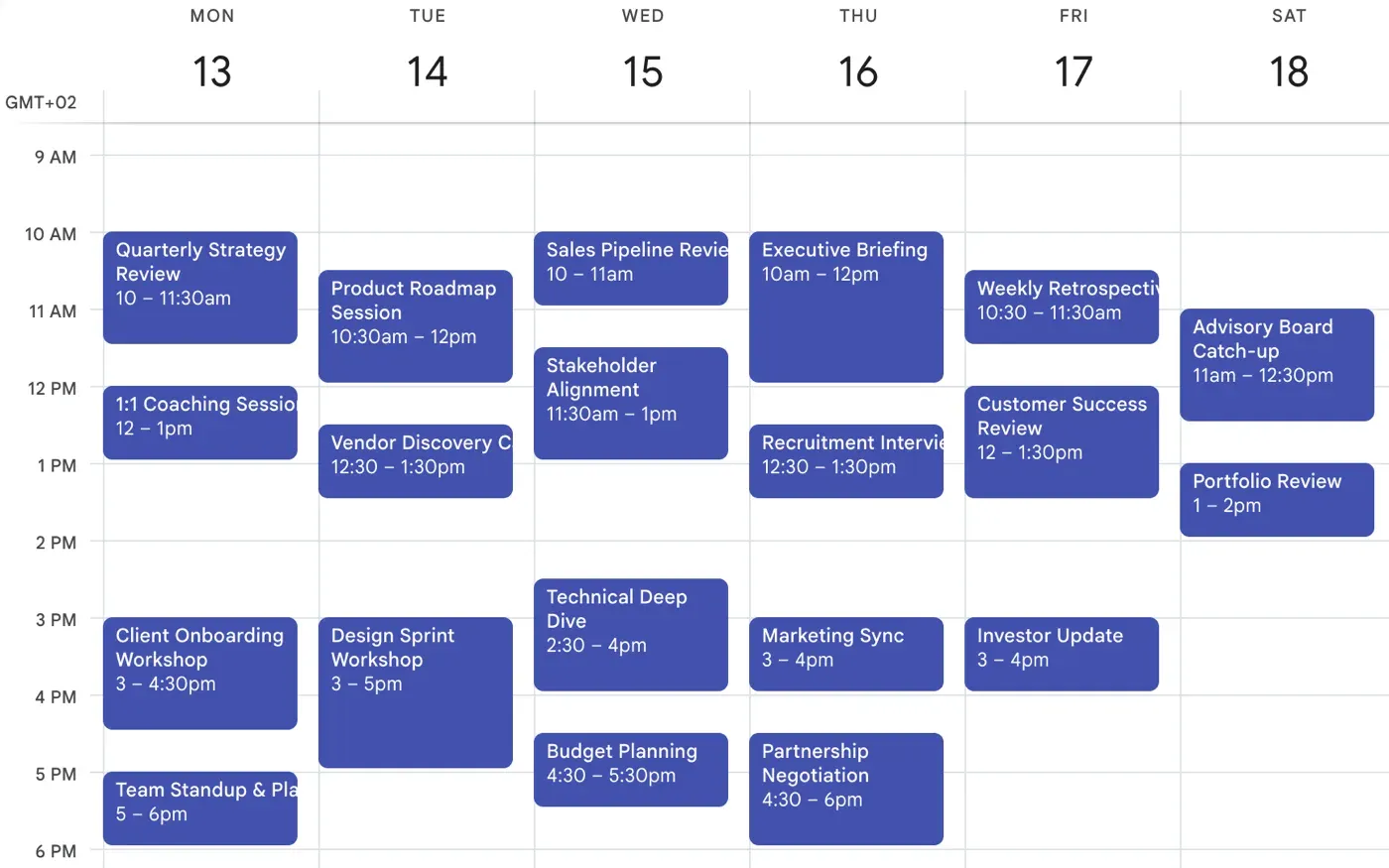
An Event session is a specific event that already exists on your calendar, made bookable. Instead of generating a grid of slots from availability rules, you place an event in your own calendar and Pay2Book offers it exactly as you set it.
This is ideal when every session is something you arrange deliberately - a particular class, a one-off workshop, or a repeating slot you have already put in your diary.
Turning calendar events into bookable sessions
Section titled “Turning calendar events into bookable sessions”In a service’s Set availability screen, each connected calendar has a Free events are bookable checkbox. Tick it, and any free event on that calendar becomes a bookable Event session.
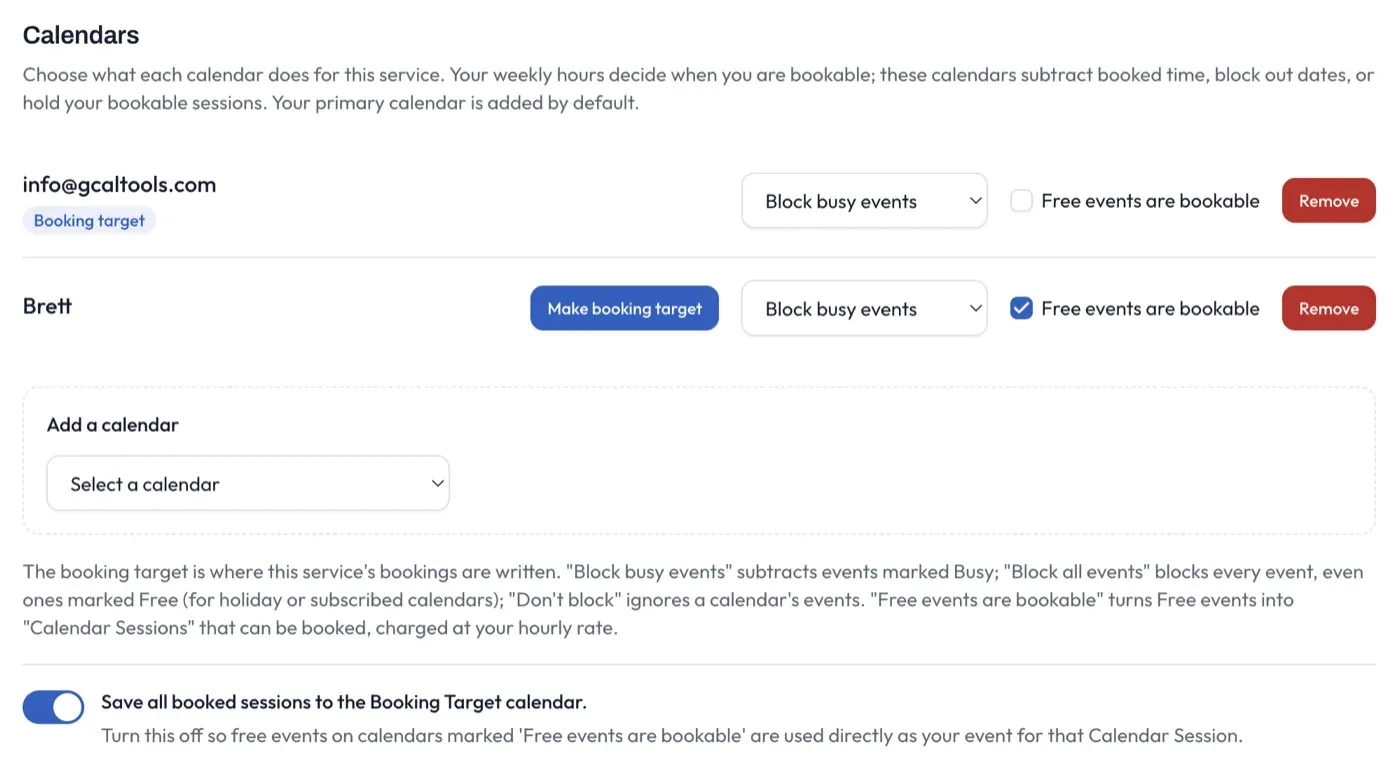
The rest:
- The session is offered exactly as the event is placed: its day, time, and length.
- A repeating event becomes a repeating session, so you can set up a weekly class once.
Place your free events on the calendar as you normally would - each one becomes a bookable session.
What the booker sees
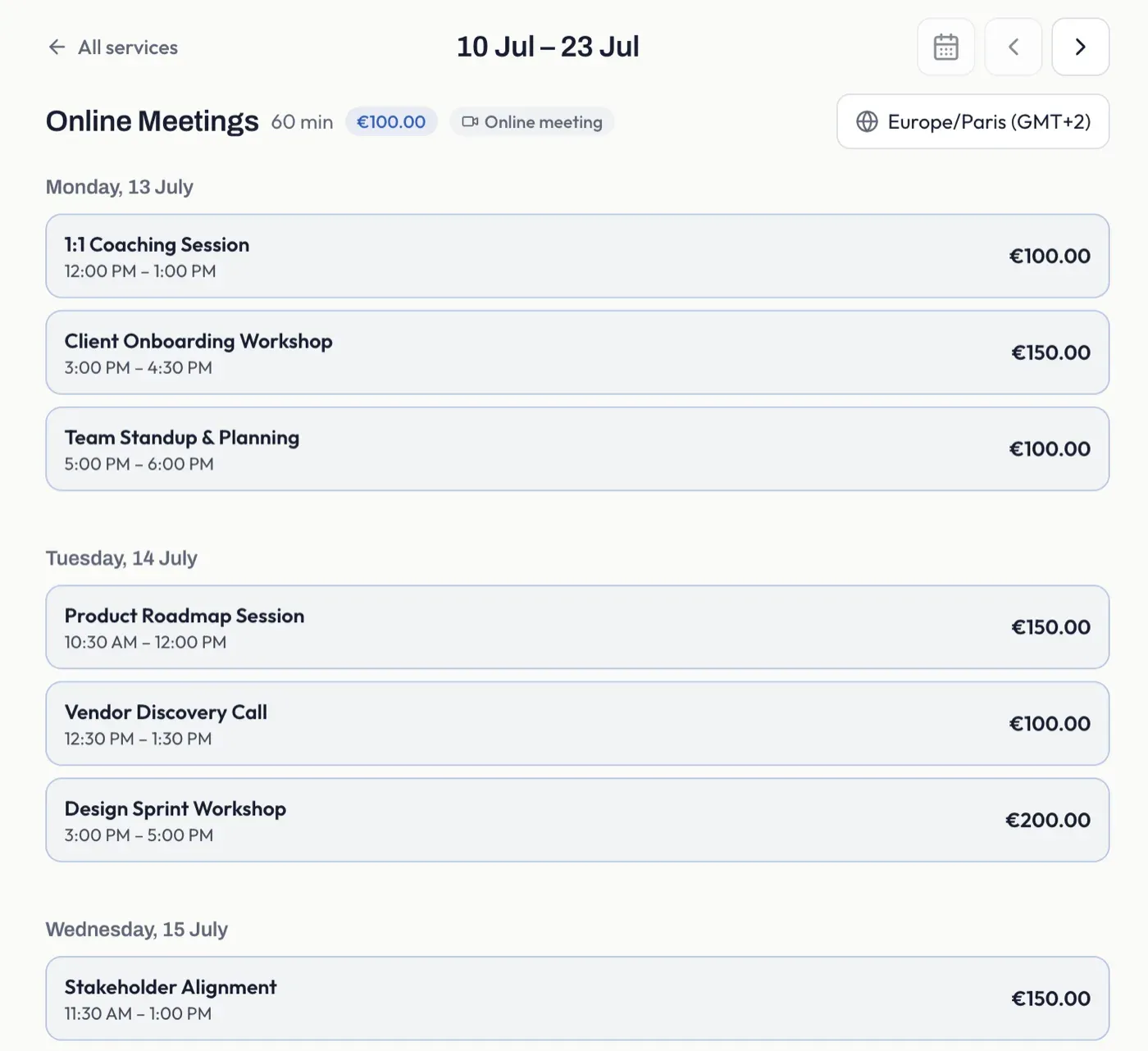
Section titled “What the booker sees”An Event session appears on your booking page as its own named block, using the event’s title, rather than as a plain time slot. Grid sessions and Event sessions can sit on the same page together.
On your own calendar
Section titled “On your own calendar”When an Event session is booked, Pay2Book updates the underlying event on your calendar - for example, tracking how many seats are taken in the title.
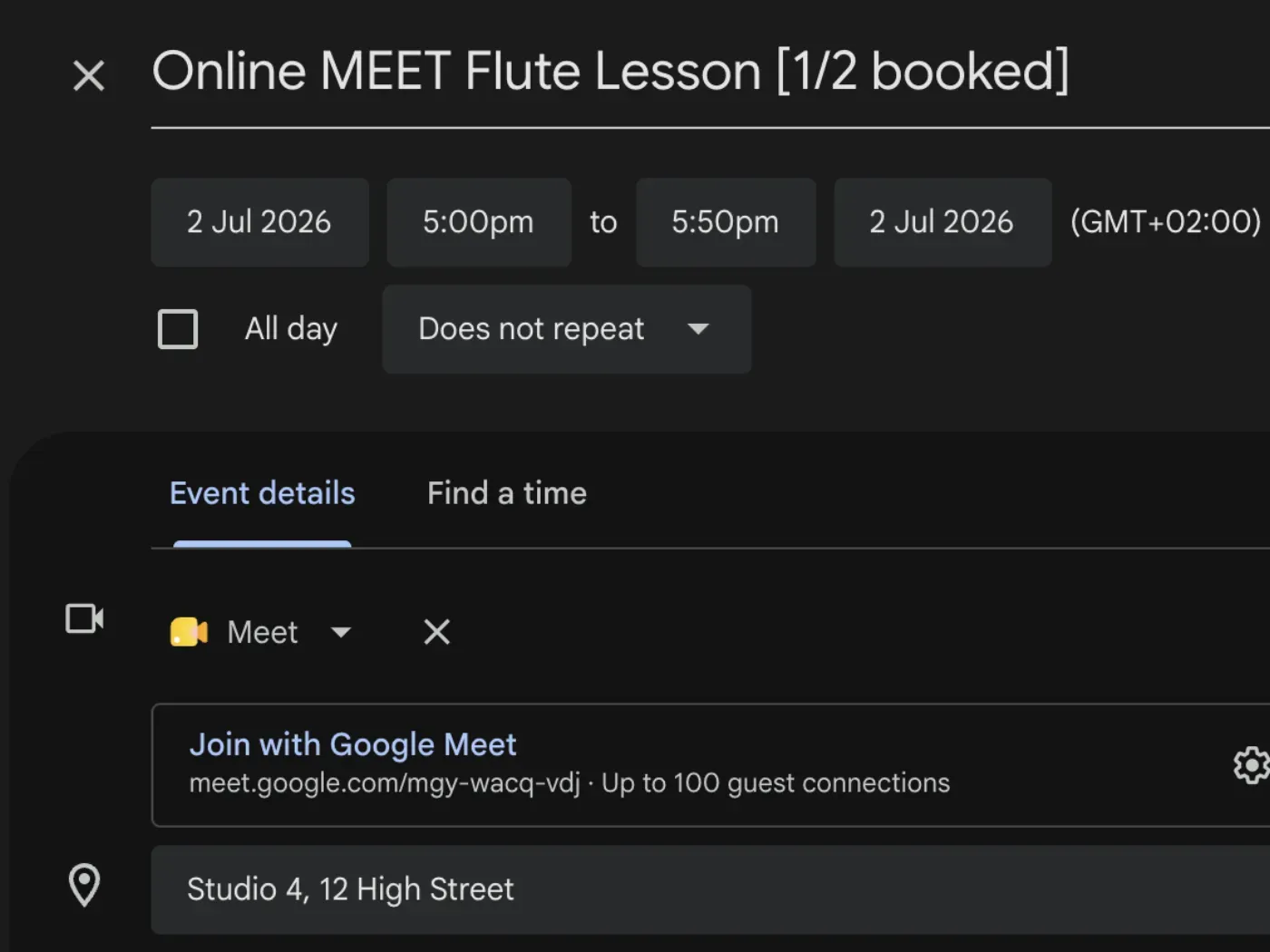
The event stays yours; Pay2Book reads it for availability and annotates it as bookings come in. Any meeting link or location on the event is used for the session too.
Where the booking is saved
Section titled “Where the booking is saved”By default, when an Event session is booked, Pay2Book writes the booking to your service’s booking target calendar - the same place all of that service’s bookings go. So a session that lives on one calendar is copied onto the booking target when someone books it.
You can change this. In Set availability, below the calendar list, is a switch:

- Save all booked sessions to the Booking Target calendar (on by default) - bookings are copied to the booking target, wherever the original event lives.
- Turn it off - free events on calendars marked Free events are bookable are used directly as the event for that Event session. The booking stays on the calendar the event is already on, instead of being copied.
Turning it off is useful when you run bookable sessions across several calendars and want each booking to stay on its own calendar rather than gathering on one. The setting applies to new bookings; sessions already booked stay where they are.
Keeping the session’s own title
Section titled “Keeping the session’s own title”When an Event session is copied to your booking target, it keeps its own title by default. So a “Product Roadmap Session” stays “Product Roadmap Session” on your calendar once booked (with the attendee or seat count added), instead of every booked session being renamed to the service. That means a week of distinctly named sessions still reads as itself on your calendar, and the booker sees the same title they clicked on all the way through checkout.
The switch sits just below the one above, in Set availability:
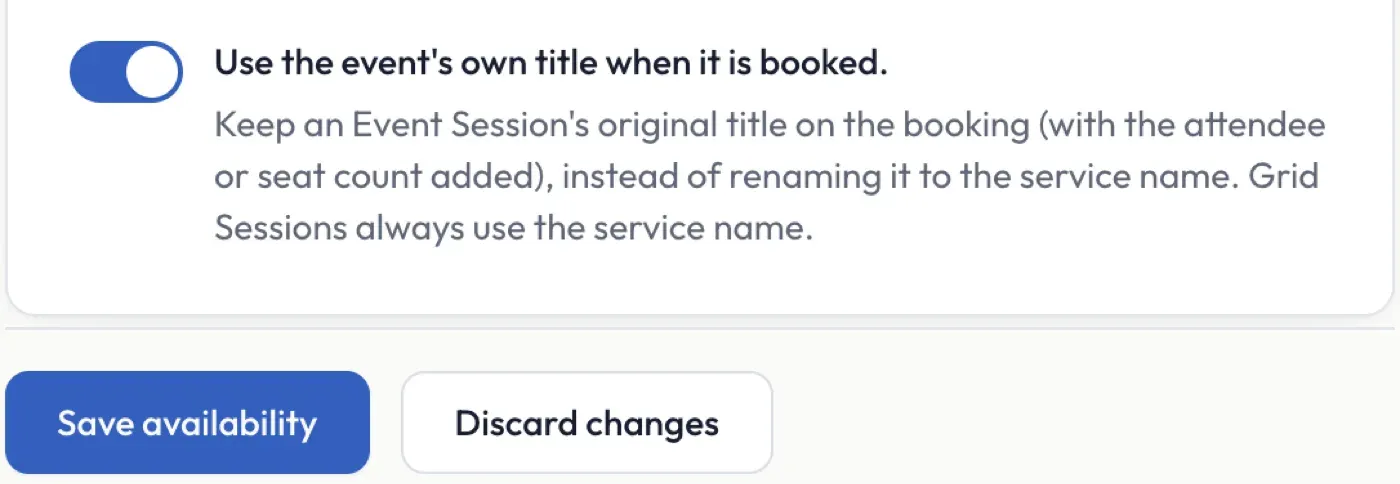
- Use the event’s own title when it is booked (on by default) - the booked event keeps the original session’s title.
- Turn it off - booked sessions are renamed to the service name instead.
Grid sessions always use the service name - they have no calendar event of their own to take a title from. If a session’s title is ever blank, the booking falls back to the service name.
Using Event sessions on their own
Section titled “Using Event sessions on their own”You do not have to set weekly hours to use Event sessions. If every session you offer is a specific calendar event, you can leave your availability rules empty and rely only on Free events are bookable. Or combine the two - see how availability works.