Your booking page
Every Pay2Book account has its own public booking page. You share its link, or embed it on your own website, and people book from there - paying for paid services, or confirming for free.
Sharing your link
Section titled “Sharing your link”On the Share page you will find your booking link and an embed snippet.
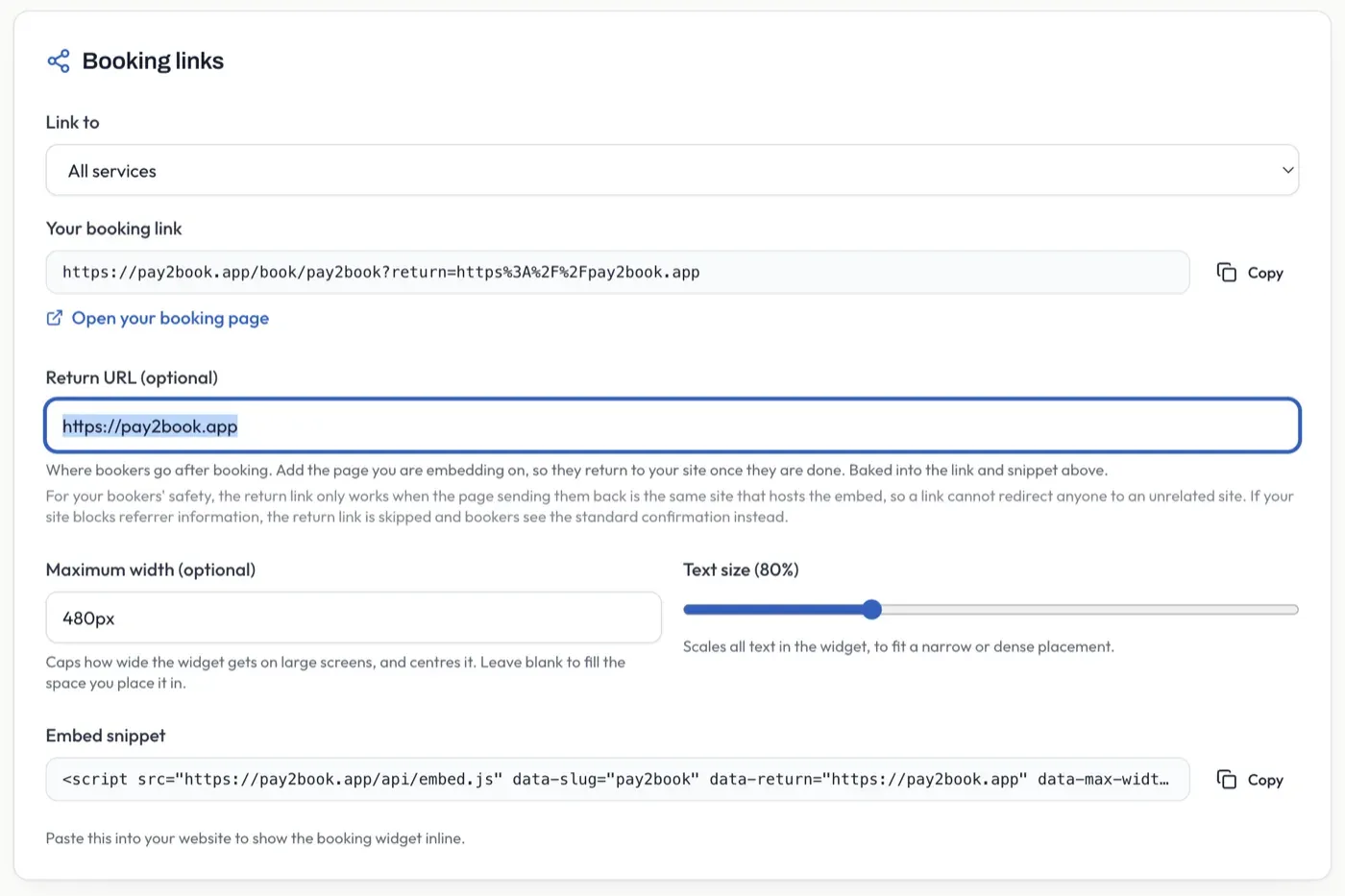
- Link to - choose whether the link points to all your services or to one specific service.
- Your booking link - send this to anyone, or put it in your bio, emails, or social profiles. Copy puts it on your clipboard.
- Return URL (optional) - a page bookers are sent back to after booking, for when you embed the widget on your own site. For safety, it only works when the site sending them back is the same one hosting the embed.
- Maximum width (optional) - caps how wide the embedded widget gets on large screens, and
centres it. Enter a value like
480px. Leave it blank and the widget fills whatever space you place it in. - Text size - scales all the text in the embedded widget, to fit a narrow or dense placement on your page. Leave it at 100% for the standard size.
- Embed snippet - paste this into your own website to show the booking widget inline, so people book without leaving your site. The snippet updates as you change the options above, so set them first, then copy.
Select Open your booking page to see it as a booker would.
The embed snippet
Section titled “The embed snippet”The snippet is a single <script> tag. Your choices above appear as data- attributes on it:
<script src="https://pay2book.app/api/embed.js" data-slug="your-slug" data-max-width="480px" data-font-scale="0.9" async></script>The widget fills the width of wherever you place it and grows to fit its content, so there is no inner scrollbar. To make it narrower, put it inside a container of the width you want - for a 300px-wide widget:
<div style="width: 300px; max-width: 100%; margin: 0 auto;"> <script src="https://pay2book.app/api/embed.js" data-slug="your-slug" async></script></div>The widget’s colours (light or dark, accent, background) come from your Appearance settings below - not from the snippet - so you set them once and every embed follows them.
Booking security
Section titled “Booking security”For a free service there is no payment to prove a booker is real, so you choose how they are verified. On the Share page, pick one:
- Email verification (default) - the booker enters their email and clicks a link we send before the booking confirms. Works for any email address, with the least friction.
- Require Google or Microsoft sign-in - the booker must sign in with a Google or Microsoft account. Strongest protection, but bookers without one of those accounts cannot book.
- Either email or Google/Microsoft - the booker chooses. They can sign in with Google or Microsoft, or verify by email instead. Widest reach, since anyone can book by one route or the other.
Whichever you choose, every free booking also passes an automatic bot check. Paid services need no setting here - the payment itself is the check.
Appearance
Section titled “Appearance”You can style your public booking page from the Share page. This is separate from your console theme - it only affects what bookers see.
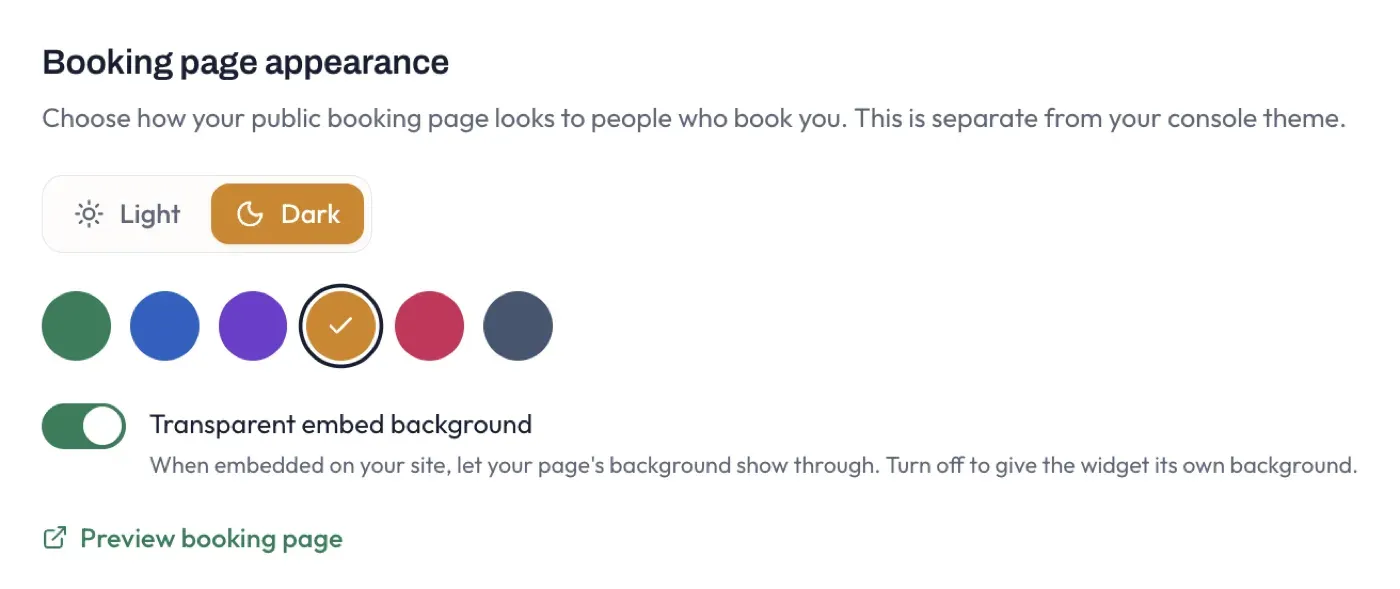
- Light or Dark - the overall mode of the booking page.
- Accent colour - the highlight colour used for buttons, the selected slot, and price chips.
- Transparent embed background - when the page is embedded on your own site, let your site’s background show through. Turn it off to give the widget its own background.
Select Preview booking page to see your choices as a booker would.
What a booker sees
Section titled “What a booker sees”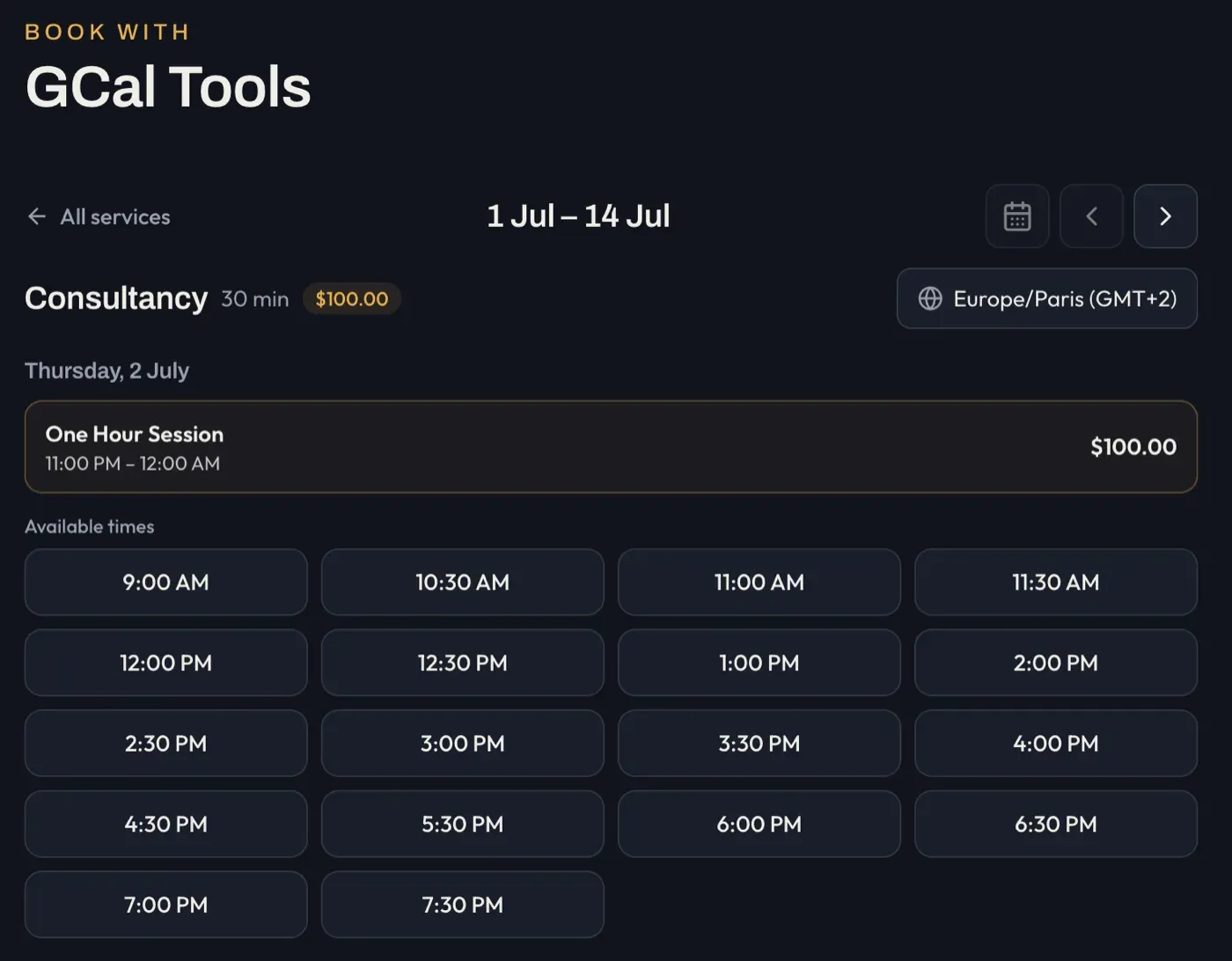
Your booking page shows your available times for the chosen service, in the booker’s own time zone. The header carries the service name and its price (or a Free label), the date range with Today, back and forward controls, and a timezone picker. Below it, bookers pick from the available times.
They then pay (paid services) or verify by email or sign-in (free services - see Booking security above), and the booking is confirmed. Times are always shown in the visitor’s own time zone, so there is no confusion across regions. In every case the booker receives a confirmation with a calendar invite by email.