Connecting multiple accounts
Most people sign in with one calendar account. But if you keep some calendars in Google and others in Microsoft, you can link both to the same Pay2Book account and use calendars from either when you set up a service.
You manage this in Settings → Connected accounts.
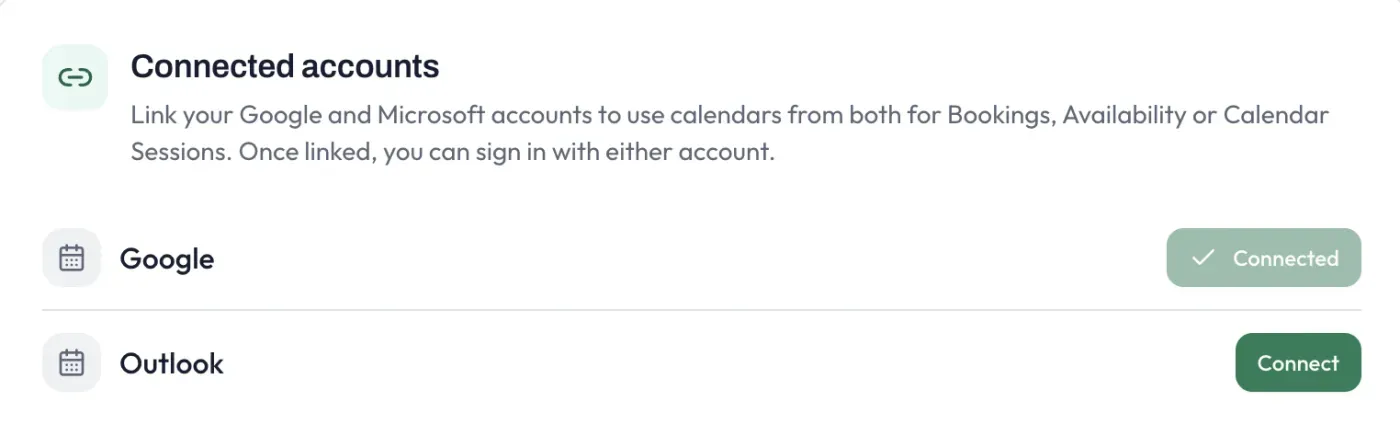
What linking does
Section titled “What linking does”Once both accounts are linked, you can use calendars from either one for Bookings, Availability or Calendar Sessions. For example, you might take bookings into an Outlook calendar while a Google calendar blocks out your busy time - all within one Pay2Book account.
You also get a convenience: once linked, you can sign in with either account and land in the same Pay2Book account.
Connecting a second account
Section titled “Connecting a second account”- Go to Settings → Connected accounts. Your current account shows as Connected.
- Next to the other provider, select Connect.
- Sign in to that account and approve the same permissions you granted the first time (read availability, write booking events, send confirmation emails).
- You return to Settings, and both accounts now appear as connected.
If the account you try to link is already in use by a different Pay2Book account, it cannot be connected here - each account belongs to one Pay2Book account at a time.
Choosing calendars per service
Section titled “Choosing calendars per service”Linking accounts does not change anything on its own - it just makes more calendars available. Each service still chooses its own booking calendar (where confirmed bookings are written), and you decide per service which calendars block availability or offer sessions. When you have both providers linked, the service screens show your Google and Outlook calendars side by side so it is clear which account each one is on.
Disconnecting an account
Section titled “Disconnecting an account”You can disconnect an account at any time from Settings → Connected accounts. A few things to know:
- Your existing bookings, payments and refunds are unaffected - disconnecting only changes which calendars Pay2Book can use going forward.
- If a service writes its bookings to a calendar on the account you are removing, you will be asked to choose a different booking calendar for that service first.
- You cannot disconnect your only remaining account, since you would have no way to sign in.